Tech token exchange: A creative screen time plan
Kids and screens. These days, it’s often challenging for parents to come between the two. We all know about the negative impacts of too much screen time. The Canadian Paediatric Society recommends:
- no screen time for children under age 2 (other than video-chatting with family members or friends)
- less than an hour a day for kids ages 2-5
- no more than two hours a day for kids aged 5-17
So how can we manage screen time when our kids want to be glued to screens a lot more than these guidelines suggest?
It’s natural that kids are going to protest when we try to set limits. You might face tantrums, “my friend can be on their tablet whenever they want,” arguments, and sulking. Deep breaths, parents, we know this can be tough!
These strategies can help in creating a screen time plan:
- Validating and talking kids through their emotions
- Setting a good example with our own use of screens
- Having a list of activities kids can substitute for screen time
- Having a screen time plan in place
At Active for Life, we’ve come up with a family screen time plan that gets kids involved in setting their own limits and learning self-regulation skills. Once it becomes a regular part of your family life, it will feel more and more natural and kids might not even notice how much they’ve cut back on their screen time. (For the purposes of this plan, screen time does not include necessary use for school or homework.)

Try a tech token exchange
First, use the Canadian Paediatric Society guidelines as a reference point and decide how long you’d like your kids to spend on screens in a week. Share your decision with your kids. Your choice may not go over well with them, but it’s your role as their parent or caregiver to make decisions that you think are best for them—whether they’re popular decisions or not. Make sure your kids have heard and understand the firm limits you’re setting.
Then, empathize with your kids and explain the damage that too much screen time has on their brains and bodies. You can pick up some books to read together with your kids:
- Unplugged Ninja (ages 4+)
- Brain vs. Screen: How Screen Time Affects Our Brains (ages 6-8)
- The Amazing Generation: Your Guide to Fun and Freedom in a Screen-Filled World (ages 9-12)
- Unplugged (ages 9-12)
How does a tech token exchange work?
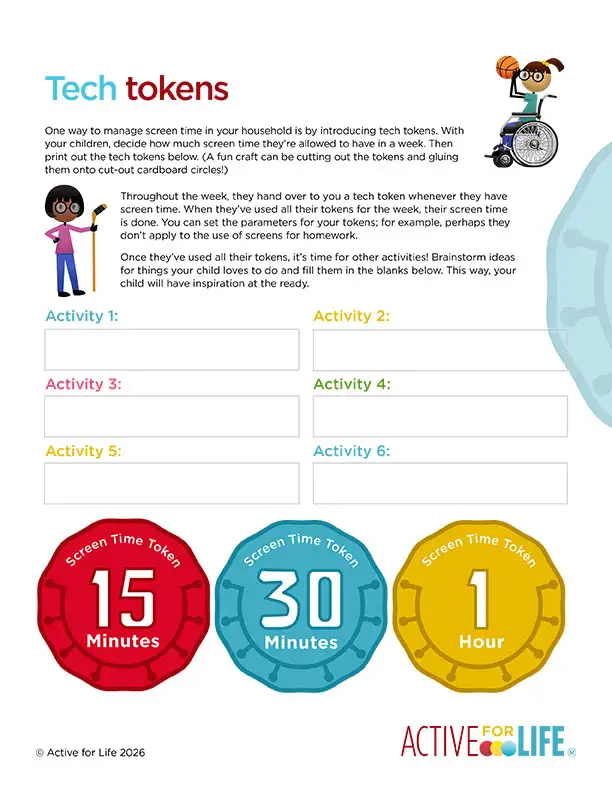
Below, we have four free printables that include tech tokens and screen-free activity ideas: one for preschoolers, one for elementary-age kids, one for preteens, and one that’s blank. Start by printing out the PDF. A fun craft for younger kids can be cutting circles out of cardboard or bristol board, then gluing the tokens onto the heavier material. Provide your kids with enough tokens for the week. Each token represents a certain amount of time.
For example, if you decide that your seven-year old is allowed 10 hours per week of screen time, you’d give your child 20 half-hour tokens for the week. (The tokens in the printable come in three denominations: 15 minutes, 30 minutes, and 60 minutes.)
Each time your child uses a screen, they must put the number of tokens equivalent to the time they spent into a designated tub or jar in a main gathering room in the home. The kitchen counter is a great place to keep your jar.
If a child uses all their tokens before the week is over, they’ll have none left. (Parents, ensure that you’ve told your kids that once the tokens are gone, they’re gone!) If your kids have tokens left over at the end of the week, they can carry them forward to the coming week.
With the tech token exchange, kids are responsible for self-regulating their own time and actions. A bonus: by working on self-regulation, kids are also learning and developing behavioural control, patience, and focus.
What to do without screens?
For your tech token exchange to be successful, ensure that your kids have options readily on hand to substitute for time on screens. In the printables below, we’ve included some ideas for screen-free fun, and we’ve left blanks so your child can fill in their own ideas too. Do this brainstorming ahead of time—not once kids are already bored and at loose ends.
We also recommend keeping a supply of sports items, craft supplies, books, and toys that can be readily accessed for play.
Preschoolers (3-5 years old)
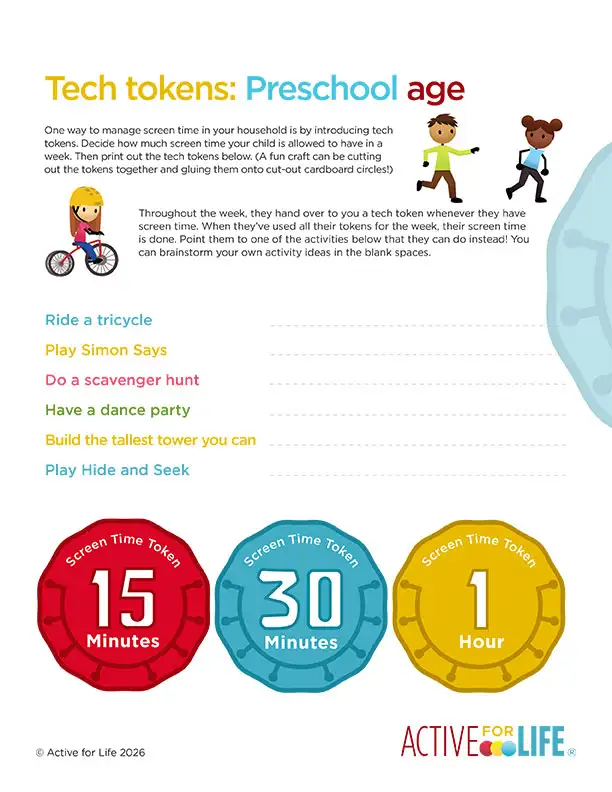
Screen-free activity ideas for preschoolers:
- Ride a tricycle: Pull out your little one’s trike for some fresh air and fun!
- Play Simon Says: A classic game to play with your kids that will have you all giggling! Include instructions such as: touch your elbow, rub your tummy, hop like a bunny or roar like a tiger!
- Do a scavenger hunt: Use one of our printable scavenger hunts and get your child searching for all kinds of items either indoors or out.
- Have a dance party: Put on your child’s favourite songs (here’s some inspiration), and bust out some cool moves! You can also teach them some fun classics like the Chicken Dance, the Sprinkler, and the Macarena.
- Build a super-tall tower: Using blocks, can your child try to build the tallest tower possible?
- Play Hide and Seek: A classic, and so easy to play anywhere. Here’s how to play.
Elementary-age kids (6-10 years old)
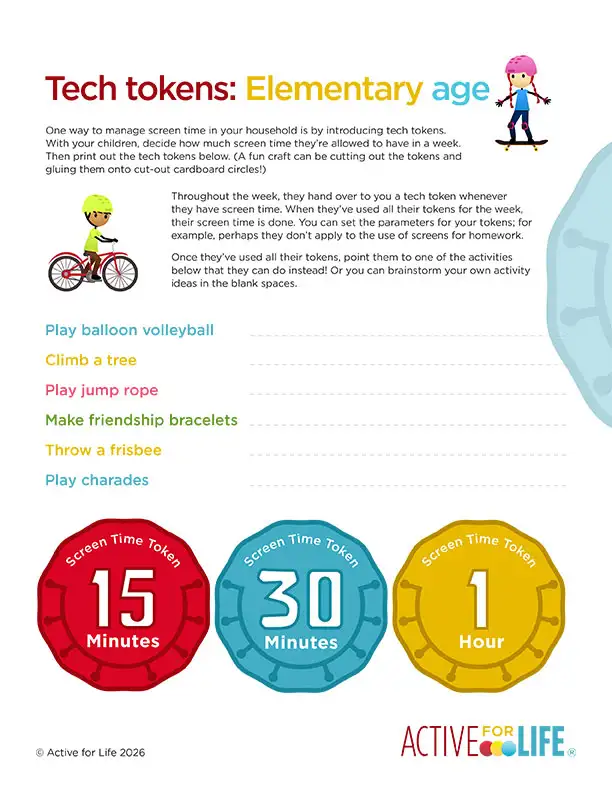
Screen-free activity ideas for elementary kids:
- Play balloon volleyball: Make a net by hanging a string or ribbon between two chairs, about a metre off the floor. Then use your hands to bop the balloon back and forth over the net.
- Climb a tree: A great activity for kids! Challenge them to move slowly, find their footing, and reach higher and higher until they’re above their regular world!
- Play jump rope: Lots of fun ways to do this! See if your child bouncing with both feet at a time or skip with alternate feet. Can they work their way to bouncing with only one foot each time they bring the rope over their head? Can they backward jump by swinging the rope from their feet back over their head? How about skipping while moving from one end of a playground to the other?
- Make friendship bracelets: These aren’t just for Taylor Swift fans! There are so many different types of bracelets kids can make. Check out these instructions to get started with this colourful craft!
- Throw a frisbee: Try one of these fun 14 games! Frisbees are super versatile—there are tons of ways to play.
- Play charades: A great way for kids to think outside the box and express creativity, charades can be played by just you and your child or with multiple kids. Here’s how to play [PDF].
Middle school kids & tweens (10-12 years old)
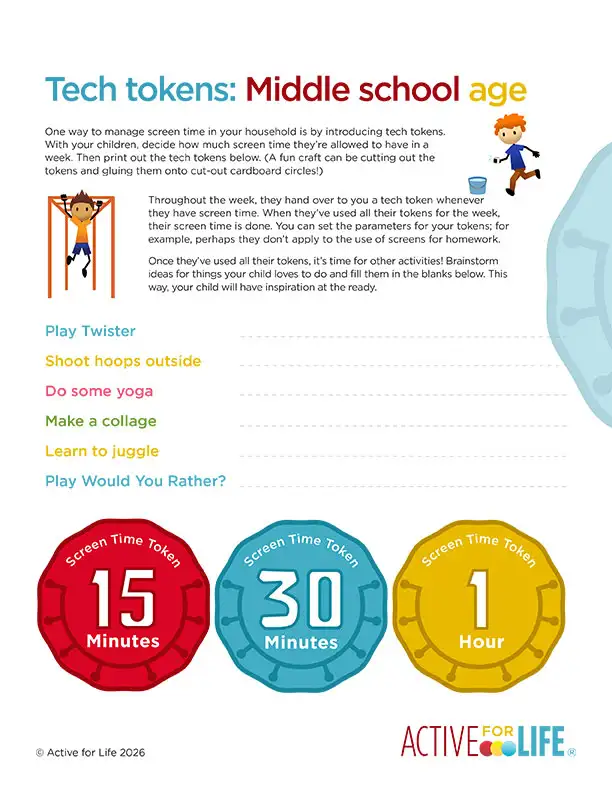
Screen-free activity ideas for middle-school kids:
- Twister: Twister has sold over 50 million games since it was released—a testament to how amazing this game is! Pick up a copy (if you’re not one of the 50 million people who have already bought it!) and keep it on hand for hours of hilarity.
- Shoot hoops outside: Whether your kids are practicing their dribbling, passing, or shooting, basketball is a game for all. Brush up on how to improve your kids’ skills (and your own) and send them outside to the backyard or schoolyard to play.
- Do some yoga: The tween years can be difficult to emotionally navigate. Kids’ brains are changing rapidly and their ability to regulate their feelings can be hard. Yoga is a great way to build emotional resilience and relieve anxiety and stress. Have some yoga cards on hand that your tween can use to learn poses.
- Make a collage: Using magazines, family photos, and craft items, your child can make collages. They’re a creative way for tweens to craft and make their own unique artwork for their bedroom or other areas of the house.
- Learn to juggle: Juggling is so much fun and it’s quite challenging! When your child masters basic juggling skills, they can move on to more and more methods and items to juggle. Have your child begin their juggling journey with bean bags, hacky sacks, stuffies, scarves or rolled socks before moving to balls, rings, rubber chickens or any other items that your kids can imagine juggling.
- Play Would You Rather? This game is a silly favourite of many kids. No equipment necessary! Here’s how to play.
Plus a fully editable printable for your own ideas!
In the version of the printable below, you and your child can type in your own activity ideas!